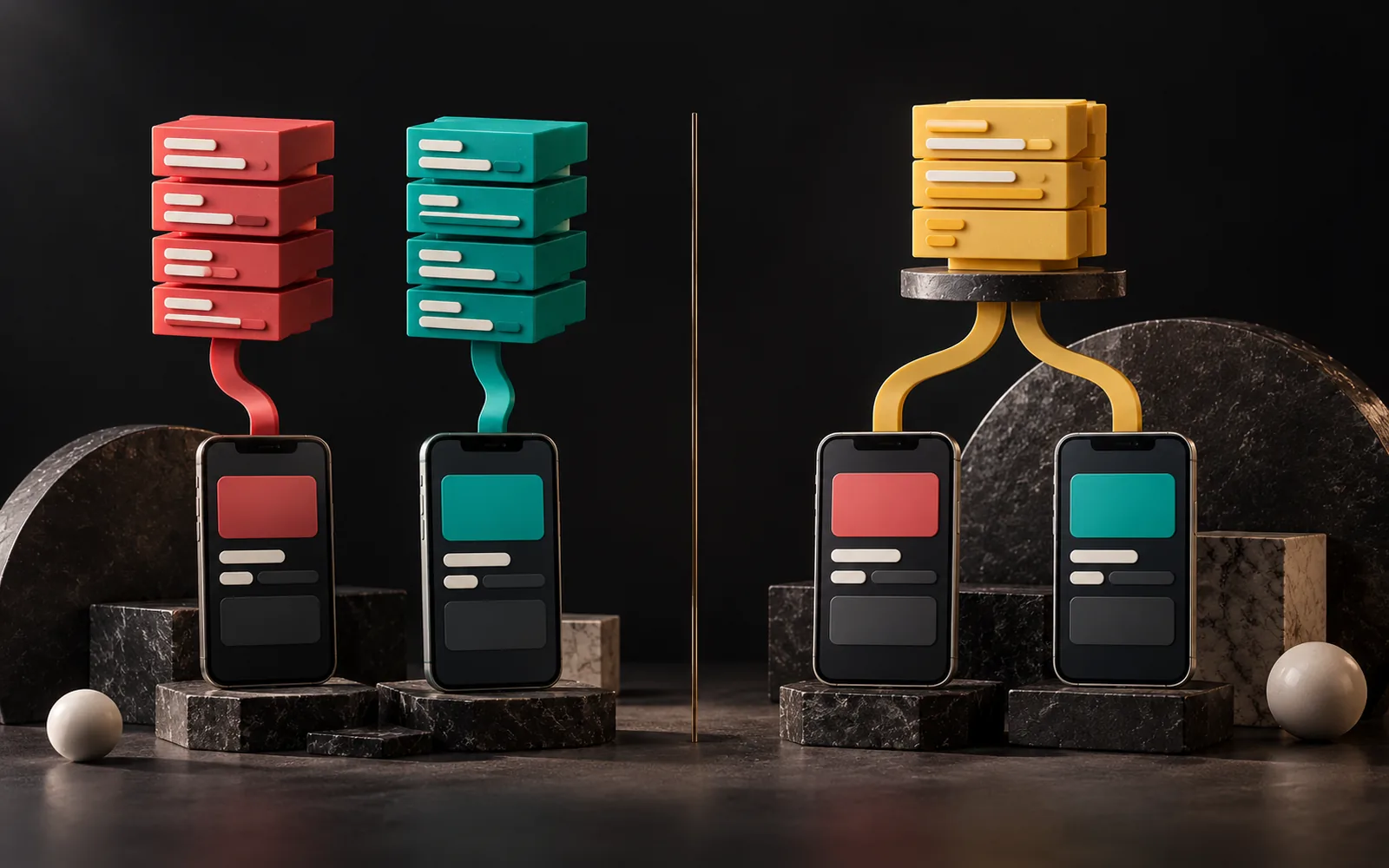
Developers build a native app separately for iOS and Android, each in its platform's own language. A cross-platform app, by contrast, ships to both platforms from a single codebase. There's no single right answer to the native vs cross-platform question. For most business apps, cross-platform is sufficient and more economical; however, native can come out ahead in apps that depend deeply on the platform's latest features or do very heavy graphics processing.
In short
- Native: Swift/SwiftUI for iOS, Kotlin/Jetpack Compose for Android. The experience closest to the platform, but two separate codebases.
- Cross-platform: One codebase, two platforms. The two most common options are Flutter (Dart) and React Native (JavaScript/TypeScript).
- Flutter draws the interface with its own engine; React Native uses the platform's native UI components. Both are mature and widely used.
- Let your team, budget, the device features you need and long-term maintenance drive the choice, not technology trends.
- Whichever route you choose, the App Store and Google Play rules are the same: account deletion, privacy disclosures, review and up-to-date SDK requirements.
What is a native app?
Developers write a native app with the language and tools each platform's maker recommends. For example, Apple offers SwiftUI for "building apps across all Apple platforms with the power of Swift." Similarly, since 2019, Google has positioned Android development as "Kotlin-first." Its modern UI toolkit, Jetpack Compose, also works with Kotlin.
Pros:
- Day-one access to new platform features,
- The user experience closest to the platform's behavior,
- The most control over heavy graphics, camera, sensor or background work.
Cons:
- Two separate codebases, often two separate areas of expertise,
- Every feature developed and tested twice,
- Higher development and maintenance costs.
What is cross-platform?
With a cross-platform approach, you write most of the app once, and it runs on both iOS and Android. When needed, developers add small platform-specific parts (e.g. a particular hardware feature) in native code.
Today, the two most common tools in this space are Flutter and React Native. Both are open source and have large communities. The real difference between them is how they put the interface on screen.
Flutter
Flutter comes from Google, and you write Flutter apps in Dart. According to Flutter's official architecture documentation, Flutter doesn't translate the interface into operating system components; it ships its own set of widgets and draws every pixel itself. On mobile, it uses the Impeller rendering engine bundled inside the app for this. In release builds, Flutter compiles the code directly to machine code.
As a result, the app looks and behaves the same on iOS and Android. Even if the operating system changes its own components, your interface stays the same. When you need a native platform component (e.g. a map), you embed it with a "platform view." Likewise, you access device features through a "platform channel."
React Native
React Native comes from Meta, and you write its apps in JavaScript or TypeScript, using the React approach familiar from the web world. According to the React Native documentation, at runtime the framework creates corresponding iOS and Android views for each component. In other words, the button or text on screen is the platform's own component. With React Native 0.76 (October 2024), the "New Architecture" became the default.
The result of this approach: the app appears on each platform with that platform's native components. For a team that already uses React on the web, the learning curve is shorter.

Comparison table
| Criterion | Native (Swift / Kotlin) | Flutter | React Native |
|---|---|---|---|
| Language | Swift (iOS), Kotlin (Android) | Dart | JavaScript / TypeScript |
| Codebase | One per platform | Single | Single |
| Interface | The platform's own components | Its own rendering engine (Impeller) | The platform's native components |
| Look across platforms | Specific to each platform | The same on every platform | Native on each platform |
| Access to new platform features | Day one | Via a plugin or native code | Via a library or native code |
| Suitable team | iOS and Android specialists | A team that knows Dart/Flutter | A team that knows React/JavaScript |
| Where it's strong | Apps tied deeply to the platform with heavy hardware use | Brand-specific interfaces meant to look the same everywhere | Teams using React on the web, apps that should look native |
This table shows general tendencies. Also, there's no one-sentence answer to "which is faster?" between the two cross-platform tools; performance depends far more on how developers write the app.
Native vs cross-platform: how do you decide?
Ask these questions in order:
- Does it really need to be a mobile app? How often, and where, will users use it? Sometimes a well-designed, mobile-friendly web application is enough.
- Which device features do you need? Camera, location, notifications, Bluetooth, background processing and so on. Cross-platform tools support most of these through plugins. However, if you have a very specific hardware need, native may be easier.
- Should the interface look the same on every platform, or follow each platform's conventions?
- Who will develop the app in the long run? If your own team knows React, React Native; if you have separate iOS/Android specialists, native; if you're targeting two platforms with a single mobile team, either cross-platform option makes sense.
- What are the budget and timeline? Two separate native apps usually take more effort than a single-codebase app. We covered the other factors that drive cost in our article What determines the cost of custom software?
Remember that a mobile app usually also has a back end (server, database, API). That part is independent of the native or cross-platform choice. For details, see our articles Frontend vs. backend and What is API integration?
App store processes: what you need to know as of February 2026
Whatever technology you choose, your app must comply with the App Store and Google Play rules. Because the stores update these rules often, note that the following apply as of February 2026.
Developer accounts
- You pay for Apple Developer Program membership annually.
- To open a Google Play developer account, you pay a one-time registration fee. Google also requires identity verification during registration.
- Open the accounts in your business's name. Apps published under a developer's personal account can cause transfer problems later. We covered this in our article Taking over your existing software.
Google Play-specific rules
- Testing requirement for new personal accounts: Personal developer accounts created after 13 November 2023 must run a closed test with at least 12 testers for 14 consecutive days before publishing the app.
- Target API level: Since 31 August 2025, new apps and updates must target Android 15 (API level 35) or higher. Google raises this threshold every year.
- Data safety form: You declare what data the app collects in the Data safety section of Play Console.
App Store-specific rules
- SDK requirement: Since 24 April 2025, apps uploaded to App Store Connect must be built with Xcode 16 and the iOS 18 SDK or later. Apple also raises this threshold regularly.
- Age rating: Apple asked developers to answer the new age rating questions for every app by 31 January 2026. Apps without answers may face interruptions when submitting updates.
- Review: For apps that require a login, you must give the review team a working demo account. In addition, the back end must be live during review.
Rules common to both stores
- Account deletion: If users can create an account in the app, they must be able to delete their account from within the app. Google Play also requires a web link where users can request deletion without reinstalling the app.
- Privacy policy: A link to a privacy policy must be available both in the store listing and within the app.
- Minimum functionality: According to Apple's guidelines, an app must offer real functionality beyond being a "repackaged website."

Our experience
In our mobile app service, we work with Flutter and React Native. Which one we recommend depends on the project. The deciding factors are the technology your team knows, whether the interface should be brand-specific or follow the platform, and who will develop the app in the long run.
On the other hand, we built our own products, AquaCRM (Laravel), the Label Job Tracking Assistant (Next.js) and Grafik Sanat (React), with web technologies. In our projects, we ask "does this job really need an app in the store?" before choosing a technology.
Frequently asked questions
Is a cross-platform app as fast as a native one?
In the vast majority of business apps, users won't notice a difference. A difference can appear in work involving very heavy graphics, complex animation or deep hardware dependence. In short, performance depends more on how developers write the app than on the tool they choose.
Flutter or React Native?
Both are mature, widely used options. If you want the interface to look exactly the same on every platform, Flutter's own rendering approach is an advantage. If your team uses React on the web, or you want the look of the platform's native components, React Native makes sense. Either way, base the decision on your team and long-term maintenance.
Can we launch the app on one platform first?
Yes. If most of your users are on one platform, starting there reduces risk. If you start with a cross-platform technology, moving to the second platform is easier.
How long does app store approval take?
It varies by store, app and time period; promising a fixed time wouldn't be right. On Google Play, don't forget to add the 14-day closed testing requirement for new personal accounts to your schedule.
Conclusion
The choice between native and cross-platform is more a business decision than a technology debate: team, budget, device features and long-term maintenance. Flutter and React Native are mature ways to reach two platforms from a single codebase for most business apps. Whichever route you choose, put the app store rules into your schedule from the start.
Planning your mobile app
If you'd like to evaluate your mobile app idea together, take a look at our Mobile App Development page or get in touch with us.
Update (October 2026): App store requirements have risen since this article was published. Since 28 April 2026, Apple has required apps uploaded to App Store Connect to be built with Xcode 26 and the iOS 26 SDK. On Google Play, since 31 August 2026, new apps and updates must target Android 16 (API level 36) (an extension until 1 November 2026 can be requested); existing apps must target at least Android 15 (API 35) to remain visible to new users.
Sources14
- Flutter — Architectural overview. — accessed: 2026-10 docs.flutter.dev
- React Native — Core Components and Native Components. — accessed: 2026-10 reactnative.dev
- React Native Blog — React Native 0.76: New Architecture by default (23 October 2024). — accessed: 2026-10 reactnative.dev
- Android Developers — Android's Kotlin-first approach. — accessed: 2026-10 developer.android.com
- Apple Developer — SwiftUI. — accessed: 2026-10 developer.apple.com
- Google Play Console Help — App testing requirements for new personal developer accounts. — accessed: 2026-10 support.google.com
- Google Play Console Help — Target API level requirements. — accessed: 2026-10 support.google.com
- Android Developers — Meet Google Play's target API level requirement. — accessed: 2026-10 developer.android.com
- Google Play Console Help — Account deletion requirements. — accessed: 2026-10 support.google.com
- Google Play Console Help — Developer account registration. — accessed: 2026-10 support.google.com
- Apple Developer — Upcoming requirements (SDK, age ratings). — accessed: 2026-10 developer.apple.com
- Expo Blog — Apple SDK minimum requirements (24 April 2025, Xcode 16 / iOS 18 SDK). — accessed: 2026-10 expo.dev
- Apple — App Review Guidelines (2.1, 4.2, 5.1.1). — accessed: 2026-10 developer.apple.com
- Apple Developer Program. — accessed: 2026-10 developer.apple.com