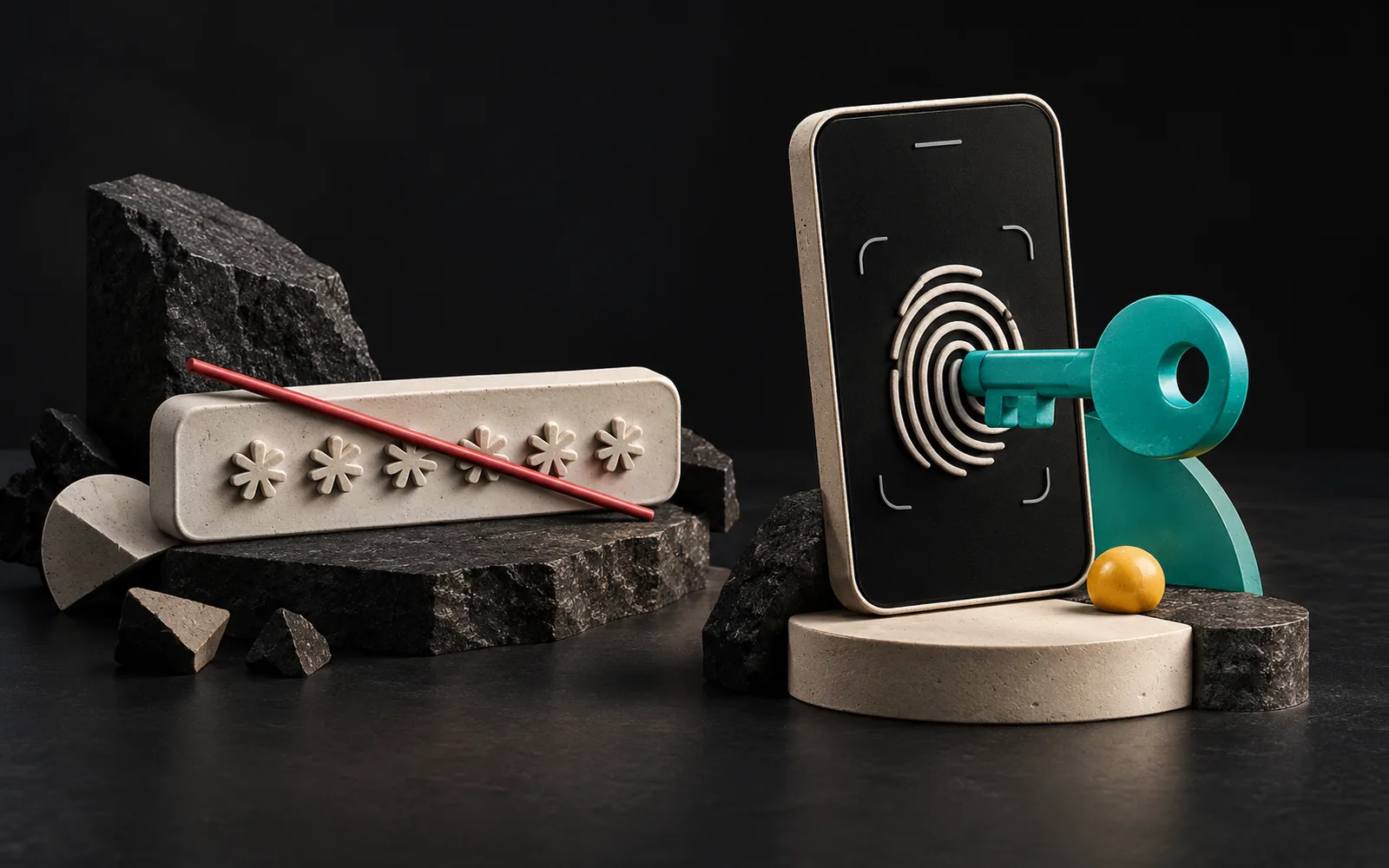
A passkey is an authentication method that lets you sign in to a website or app without typing a password, using the same method you use to unlock your phone or computer (fingerprint, face recognition or PIN). Behind the scenes, it uses public-key cryptography instead of a shared password. As a result, there is no password to steal, and it is naturally resistant to fake sign-in pages.
In short
- A passkey is a passwordless sign-in method based on FIDO Alliance and W3C standards (FIDO2 and WebAuthn).
- Only the public key is stored on the server; even if the database leaks, no secret that could be used to sign in is exposed.
- Each passkey is bound to the website it was created for and doesn't work on a fake site. This provides strong protection against phishing.
- As of March 2026, Apple, Google and Microsoft platforms support passkeys; sync and password manager support vary by platform.
- When you add passkeys to your website, you need to plan account recovery and the period when passwords and passkeys coexist from the start.
What is a passkey?
With a traditional password, you and the website know the same secret: you type your password, and the website compares it with the record it keeps. That is exactly the problem. A password can be guessed, reused on other websites, typed into a fake page or stolen from the website's database.
With a passkey, there is no shared secret. When you register on a website with a passkey, your device generates a key pair with two parts:
- Private key: Stays on your device or in your password manager, where it is synced in encrypted form, and is never sent to the website.
- Public key: Sent to the website and stored with your account.
The FIDO Alliance emphasizes that this design leaves no secret on the server that can be stolen. Apple makes the same point, saying that because servers hold only public keys, they are "less valuable targets" for attackers.
How does it work? WebAuthn and FIDO2 in simple terms
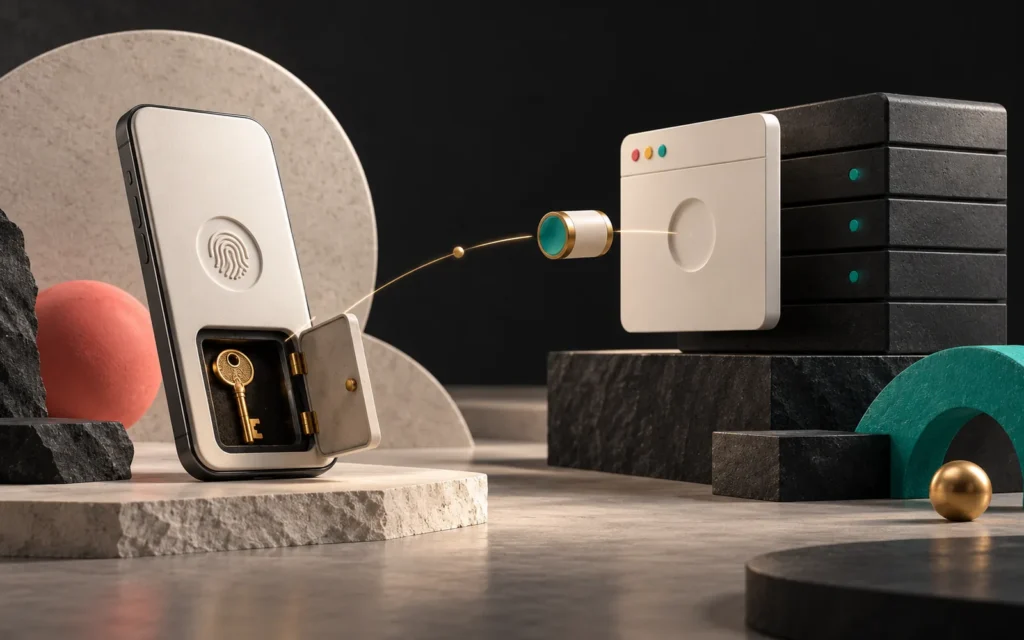
The web infrastructure behind passkeys is a W3C standard called WebAuthn (Web Authentication). Together with the FIDO Alliance's protocols, the whole is usually called FIDO2. The process has two steps:
1. Registration: The website sends your device a random value (a challenge) and its own identity. You approve with your fingerprint, face recognition or PIN. The device generates a new key pair specific to this website and passes the public key to the website.
2. Sign-in: The website again sends a random value. After you approve, your device signs this value with the private key. The website verifies the signature with the stored public key. If it checks out, you are in.
As an analogy: every time you sign in, the website asks you a different riddle. Only the seal in your pocket can produce the answer. The website recognizes the seal's imprint, but it never holds the seal itself.
Why is it phishing-resistant?
In WebAuthn, each passkey is bound to the identity of the website it was created for (the RP ID). The browser and device use the passkey only on addresses that belong to that website. So even if you land on a fake address with a single letter changed, such as "artsutıon.com," your passkey won't work there. As MDN sums it up, because signatures are bound to the website's origin, a fake sign-in page can't reuse a valid sign-in. WebAuthn also only works over secure connections (HTTPS). That makes an SSL certificate a prerequisite for passkeys too.
Status of the standards (March 2026)
WebAuthn Level 2 has been an official W3C Recommendation since April 2021. Level 3, as of March 2026, is at the Candidate Recommendation stage; the W3C published the latest draft of this version in January 2026. According to MDN, the Web Authentication API has been widely available in all major browsers since September 2021.
Synced vs. device-bound passkeys
The FIDO Alliance defines two types of passkeys:
| Type | Where is it stored? | Advantage | What to watch out for |
|---|---|---|---|
| Synced passkey | In the password manager's cloud, end-to-end encrypted | Isn't lost when you change phones; moves between devices | Security also depends on the security of the sync account |
| Device-bound passkey | On a single device or a hardware security key | Highest level of assurance | If the device is lost, a backup way to sign in is needed |
Most everyday users use synced passkeys. For business accounts that require high security, hardware security keys may be preferred.
Which devices support passkeys? (as of March 2026)
According to the platform table on passkeys.dev and statements from the vendors, here is the situation in summary:
- Apple: Since iOS/iPadOS 16 and macOS 13, passkeys have been synced end-to-end encrypted through iCloud Keychain. Since iOS 17 and macOS 14, third-party password managers can also act as passkey providers. iOS 26, released in September 2025, supports securely exporting and importing passkeys between apps using the standard format developed by the FIDO Alliance.
- Android: On Android 9 and later, synced passkeys are supported through Google Password Manager; since Android 14, third-party password managers can also be used.
- Windows: Passkeys can be stored on the device with Windows Hello. With the November 2025 update, third-party passkey managers (starting with 1Password and Bitwarden) can be integrated into the operating system in Windows 11. There is no sync at the operating system level yet.
- Chrome (desktop): Since September 2024, Chrome on Windows, macOS and Linux can save passkeys to Google Password Manager and sync them across devices. Google says it does this end-to-end encrypted with a PIN that only the user knows.
- Cross-device sign-in: If your passkey is on another device (for example, your phone), you can sign in by scanning the QR code shown by the browser on your computer with your phone.
Major platforms are also making passkeys the default. In October 2023, Google made passkeys the default sign-in option for personal Google Accounts. In May 2025, Microsoft announced that new Microsoft accounts would be passwordless by default.
How passkeys affect your website and your business
Passkeys should be on the agenda not only for large platforms but for every website that has customer accounts: e-commerce websites, dealer and customer portals, SaaS products and admin dashboards. If you are setting up an online store, you can also ask about passkey support when choosing an e-commerce platform.
Benefits:
- Lower risk of account takeover. They provide structural protection against attacks based on phishing and password reuse.
- Easier sign-in. Microsoft has said that, according to its own data, sign-ins with passkeys succeed at a much higher rate than with passwords and are completed faster than with a password plus multi-factor authentication.
- Less support load. "I forgot my password" requests may decrease.
What you need to plan:
- The transition period. Not all of your customers will switch to passkeys at once. For a while, passwords and passkeys should be offered side by side; you can suggest a passkey to the user after they sign in, for example.
- Account recovery. Design from the start what happens when a passkey is lost. If the recovery path is weak, that is where an attacker will get in.
- Multiple passkeys. Let users add more than one passkey for different devices and manage them from their account settings.
- Ready-made service or custom development? Many authentication services and platforms offer passkey support; some of them work on the SaaS model we described in our article on cloud computing. In custom software, the server-side WebAuthn verification (challenge, origin and signature checks) needs to be done carefully.
Common mistakes
- Thinking of a passkey as an extra "second step." A passkey is a strong sign-in method on its own; it shouldn't be designed as an extra requirement added on top of a password plus SMS code setup.
- Forgetting the recovery flow. The strongest sign-in method is only as secure as the weakest recovery path.
- Neglecting HTTPS. WebAuthn only works in secure contexts.
- Starting without thinking about your domain structure. Because passkeys are bound to a specific domain, if you plan to change your domain or subdomain in the future, you should take that into account from the start.
- Forcing users. Suggesting passkeys in clear language rather than making them mandatory makes the transition easier.
Our experience
In a new customer portal, dashboard or SaaS project, we discuss the sign-in method at the start of the project. In that discussion, we look for answers to three questions: Who are the users and which devices do they use? How big is the risk if an account is taken over? If a user loses access, how, and with whose approval, will they get their account back?
In our own products, such as AquaCRM and the Label Job Tracking Assistant, we also host customer data, so sign-in security is at the center of our design decisions. When we evaluate new methods such as passkeys, our priority is to offer a more secure option without forcing users and to design the recovery flow with at least as much care as the sign-in itself.
Frequently asked questions
If I use a passkey, is my fingerprint sent to the website?
No. Your fingerprint or face recognition is used only on your device, to unlock the passkey. What is sent to the website is a signature produced with the private key.
If I lose my phone, do I lose my passkeys too?
If you use synced passkeys (iCloud Keychain, Google Password Manager or a third-party password manager), your passkeys come back when you sign in to your account on your new device. For passkeys stored on a single device only, you need to use the backup sign-in method the website offers.
Do I still need two-factor authentication with a passkey?
By design, a passkey combines "something you have" (the device) with "something you are or know" (biometrics or a PIN). That is why, in most scenarios, an extra SMS code isn't needed. For high-risk actions, additional checks can still be considered.
Can I move a passkey to a different password manager?
This area is developing quickly. The FIDO Alliance is working on a standard format for secure transfer between password managers, and Apple started supporting this kind of transfer with iOS 26. On other platforms, support depends on the password manager you use.
Conclusion
Passkeys structurally remove the weakest points of passwords: predictability, reuse and vulnerability to phishing. As of March 2026, they are supported on all major platforms, and users are gradually getting used to them. If you have a website or software with customer accounts, now is the right time to add passkeys to your next development plan.
To set up a secure sign-in flow for your website or software, take a look at our software and digital solutions and web design pages or get in touch with us.
Update (October 2026): On 25 August 2026, the W3C published the Web Authentication Level 3 specification as an official W3C Recommendation. The version described in this article as being at the "Candidate Recommendation" stage is now a final standard.
Sources11
- FIDO Alliance, "Passkeys", fidoalliance.org
- W3C, "Web Authentication: An API for accessing Public Key Credentials Level 3", w3.org
- W3C, "Updated Candidate Recommendation: Web Authentication Level 3" (January 2026), w3.org
- MDN Web Docs, "Web Authentication API", developer.mozilla.org
- passkeys.dev, "Device Support", passkeys.dev
- Apple Developer, "Passkeys", developer.apple.com
- 9to5Mac, "iOS 26 makes it easy to transfer passkeys and passwords between apps" (13 June 2025), 9to5mac.com
- Chrome for Developers, "Chrome to sync passkeys on Google Password Manager between desktop and Android" (19 September 2024), developer.chrome.com
- Google Blog, "Passkeys are now the default sign-in for Google Accounts" (10 October 2023), blog.google
- Microsoft Security Blog, "Pushing passkeys forward: Microsoft's latest updates for simpler, safer sign-ins" (1 May 2025), microsoft.com
- CyberInsider, "Windows 11 integrates native support for Bitwarden and 1Password" (12 November 2025), cyberinsider.com