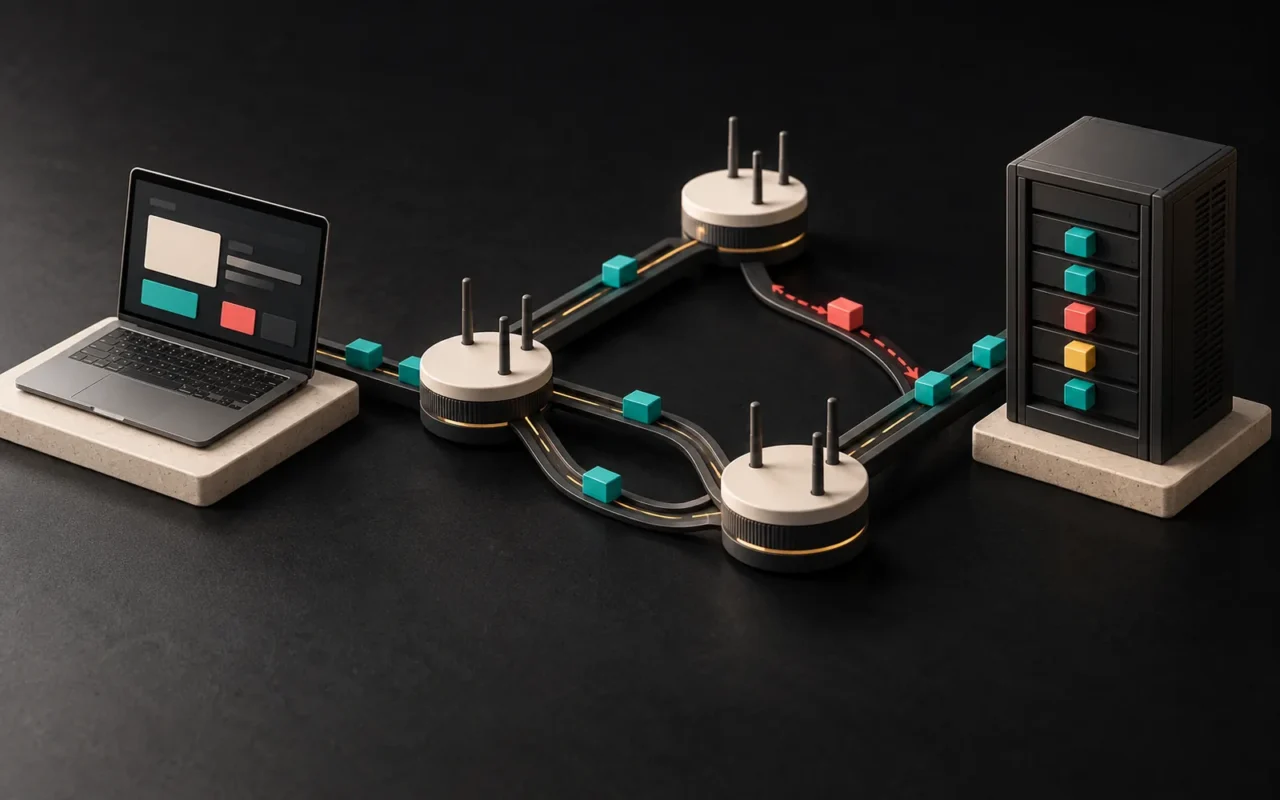
An IP address (Internet Protocol address) is the numeric address assigned to every device connected to the internet or a network, and it makes sure data reaches the right place. Your website's server, the modem in your office and your phone all have an IP address. Two versions are in use side by side today: 32-bit IPv4 (e.g. 192.0.2.10) and 128-bit IPv6 (e.g. 2001:db8::10), which was developed to solve address exhaustion.
In short
- An IP address is the address of a device on a network. Domain names are translated into IP addresses by DNS.
- IPv4 offers about 4.3 billion addresses, and these have effectively run out. IPv6 provides an address space so large that, in practice, it won't run out.
- A public IP is the address visible on the internet; a private IP is used inside an office or home network.
- Home and office connections usually have dynamic IPs (they can change); servers have fixed (static) ones.
- A website no longer needs a separate (dedicated) IP address to use SSL.
What is an IP address?
On the internet, data travels in small packets. Every packet carries information about where it came from and where it's going. That information is the IP addresses. To borrow a postal analogy, an IP address is the full address written on the envelope.
Because people find strings of numbers hard to remember, we reach websites through domain names. When you type example.com.tr into your browser, DNS translates that name into the server's IP address, and the browser connects to that address. We walked through this process step by step in our article What is DNS?
The difference between IPv4 and IPv6
IPv4
IPv4 addresses are 32 bits long and written as four groups of numbers separated by dots, such as 192.0.2.10. Each group takes a value between 0 and 255. 32 bits means at most 2³², or about 4.3 billion, addresses. That number seemed sufficient in the internet's early years but fell short with the arrival of smartphones and connected devices.
RIPE NCC, the regional organization that allocates IP addresses in Europe, the Middle East and Central Asia (including Turkey), announced on 25 November 2019 that it had run out of IPv4 addresses. Since then, new IPv4 addresses have been distributed only from recovered addresses, through a waiting list and in limited quantities. Because of this scarcity, IPv4 addresses change hands between organizations through transfers. RIPE NCC stresses that transfers and address-sharing methods come with costs and that the long-term solution is IPv6.
IPv6
IPv6 addresses are 128 bits long and written as hexadecimal groups separated by colons, such as 2001:db8::10. (Consecutive groups of zeros can be shortened to ::.) 128 bits means 2¹²⁸ addresses, a number that is not expected to run out in practice. The current IPv6 standard is RFC 8200, published in July 2017.
| Feature | IPv4 | IPv6 |
|---|---|---|
| Address length | 32 bits | 128 bits |
| Notation | 192.0.2.10 (decimal, dotted) | 2001:db8::10 (hexadecimal, colons) |
| Number of addresses | About 4.3 billion | 2¹²⁸ |
| Status | Effectively exhausted at the regional registries | Adoption continues to grow |
| DNS record | A record | AAAA record |
The two versions can't directly replace each other, which is why they've been used side by side for a long time. Most servers and providers support both addresses at the same time ("dual stack").

Public IP and private IP
The computers in your office don't each go online directly with their own public address. The setup usually looks like this:
- Public IP: The address your internet service provider assigns to your modem, visible from the internet.
- Private IP: The internal addresses your modem hands out to the computers, printers and phones on your network. Three blocks are reserved for these addresses:
10.0.0.0–10.255.255.255,172.16.0.0–172.31.255.255and192.168.0.0–192.168.255.255. The192.168.1.xaddresses you often see on home and office modems come from here.
The modem sends the traffic of the devices on the internal network out to the internet through a single public IP. This is called NAT (Network Address Translation). Because of the IPv4 shortage, some service providers also do this inside their own networks (CGNAT, carrier-grade NAT). In that case, many subscribers share the same public IP. There's even a dedicated address block reserved for this (100.64.0.0/10).

Static and dynamic IP
- Dynamic IP: An address your service provider may change from time to time. This is what home and small-office connections usually use.
- Static (fixed) IP: An address that doesn't change. It's needed for servers, devices that must be reachable from outside, and some corporate systems.
When do you need a static IP?
- When a piece of software or a dashboard only allows access from specific IP addresses for security (IP restriction).
- When you need to reach a device in your office (a camera recorder, a server) from outside.
- When a service provider (e.g. a bank or an e-invoicing integration) only accepts connections from registered IP addresses.
A static IP is usually purchased from your internet service provider as an add-on service.
Your website and its IP address
Shared IP and dedicated IP
On shared hosting, many sites on the same server use the same IP address. The server works out which site an incoming request belongs to from the domain name in the request. We explained this in our article What is web hosting?
It used to be that each site needed its own IP address to use HTTPS. Today, thanks to a TLS extension called SNI (Server Name Indication), the browser tells the server which domain it wants to reach while setting up the encrypted connection. This lets many sites on the same IP use their own certificates without any problem. So there's no longer any need to get a separate IP for a corporate site just for SSL. We covered how HTTPS works in our article on the difference between HTTP and HTTPS.
When can a dedicated IP make sense?
- If you send high volumes of email from your server. Mail servers check the reputation of the sending IP address; another account on a shared IP sending spam can affect you too.
- If a business partner wants to identify connections from your server by a fixed IP that belongs only to you.
- If you use your own virtual or physical server. In that case, your server already has its own IP address. We compared server types in our article What is a server?
IP addresses when migrating servers
When you move your site to another server, its IP address changes. For visitors to reach the new server, your domain's DNS records (A, and AAAA if present) must point to the new IP. If email and other services are on the same server, don't forget to update their records too.
Common mistakes
- Giving out a private IP. An address like
192.168.x.xonly means something inside your own network; external access requires a public IP. - Setting access restrictions based on a dynamic IP. When the IP changes, you can lose access to your own dashboard.
- Forgetting the AAAA record when changing servers. If only the A record is updated, visitors using IPv6 may keep going to the old server.
- Buying a dedicated IP just for SSL. Thanks to SNI, there's no need.
Our experience
When we change servers on website and software projects, we check the A and AAAA records in DNS together, and we add the records of services tied to the same server, such as email, to the migration plan. When an integration or an admin dashboard requires IP restriction, we ask in advance whether our client's internet connection has a static IP. That way we prevent access from being cut off by an unexpected IP change.
Frequently asked questions
How do I find my IP address?
You can see your public IP address by searching for something like "what is my IP address" or by using sites built for this purpose. You'll find your private IP address in the network settings of your computer or phone.
Do I need to do anything to switch to IPv6?
As a website owner, in most cases your hosting or server provider offers this support. If your server has an IPv6 address, an AAAA record is added to your domain. On the visitor side, the transition is managed by internet service providers.
Should my website have its own IP address?
For a corporate brochure website, usually not. It can make sense for high-volume email sending, special integrations or when you use your own server.
Is a static IP more secure?
Not in itself. Because it doesn't change, it's convenient for services that require external access. Security comes from firewalls, updates and access restrictions.
Conclusion
The IP address is the invisible addressing system used in every internet connection. Here's what you need to know as a business owner: your site lives at an IP address, your domain connects to it through DNS, and that connection must be updated when the server changes. Static and dedicated IPs only come up for specific needs. In our web design and software and digital solutions projects, we handle these settings as part of the launch and migration plan.
Learn more on Grafik Sanat (in Turkish): Visual explanations and quizzes on this topic → grafiksanat.com.tr/terim/ip-adresi
Sources6
- IETF RFC 8200 — Internet Protocol, Version 6 (IPv6) Specification (July 2017; from 32 bits to 128 bits) rfc-editor.org
- IETF RFC 1918 — Address Allocation for Private Internets (private address blocks) rfc-editor.org
- IETF RFC 6598 — IANA-Reserved IPv4 Prefix for Shared Address Space (100.64.0.0/10, CGNAT) rfc-editor.org
- IETF RFC 6066 — TLS Extensions, Section 3: Server Name Indication rfc-editor.org
- IETF RFC 3596 — DNS Extensions to Support IP Version 6 (AAAA record) rfc-editor.org
- RIPE NCC — The RIPE NCC has run out of IPv4 addresses (25 November 2019) ripe.net