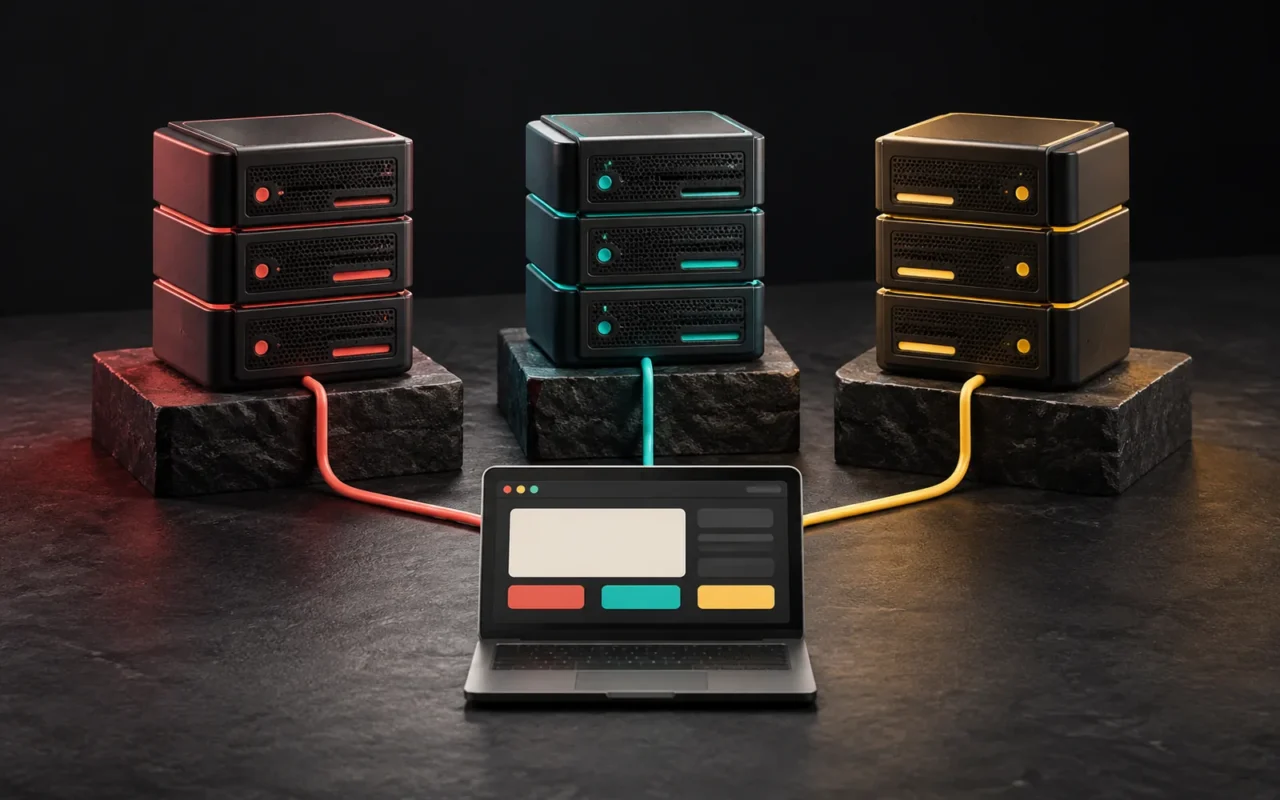
Website infrastructure is every part that keeps your site running, from your domain name to the server your site runs on, and from the security certificate to the backups. The right infrastructure is not "the most powerful server" but one that fits what your business needs and has a clear owner who manages it. In this guide, we have brought all the parts together on one map, linked to our detailed post on each, and set out a decision flow showing which infrastructure suits which business.
In short
- A website's infrastructure is made of layers: domain name → DNS → server/hosting → web server software and caching → SSL → CDN, email and backups.
- For most corporate brochure sites, well-configured shared or managed hosting is enough.
- E-commerce, memberships and heavy traffic may need dedicated resources (VPS/VDS); custom software and SaaS products need infrastructure designed around the application's needs.
- In every case, the business itself should own the domain, DNS and hosting accounts.
- Infrastructure is not set up and left alone: certificate renewals, updates and backup tests are ongoing.
Why does website infrastructure matter?
Visitors don't see your site's infrastructure; they only see its results. Does the page open quickly? Is there a warning in the address bar? When a form is submitted, does the email reach you? Does the site stay up on campaign day? All of these are the result of infrastructure decisions.
Infrastructure decisions are also expensive to undo. Registering the domain in the wrong person's name, keeping backups on the same server, or renting a server that nobody has taken responsibility for managing goes unnoticed until something goes wrong. When it does, the cost is high. That is why infrastructure should be planned from the very start, as part of the design and the software.
The infrastructure map: what does each part do?
If we follow a visit to a website from start to finish, we see the layers of the infrastructure in order.

1. Domain name: your address
Everything starts with the name a visitor types into the browser. A domain name isn't bought outright; it is rented for a set period and lost if it isn't renewed. We covered choosing an extension, the .com.tr rules, transfer locks and, most importantly, whose name the domain is registered in, in our post What is a domain name?
2. DNS: the address book
A domain name does nothing on its own; DNS translates it into the addresses of the servers where your site and email live. We covered A, CNAME, MX and TXT records and what TTL means in What is DNS?, and the numeric addresses these records point to in What is an IP address? If you are curious about how data travels across the network, our post What is TCP/IP? explains the basic concepts.
3. Hosting and servers: where the site runs
Your site's files and database run on a server that is always on. The options here form a spectrum:
- Shared hosting: You share one server with many customers, and the provider handles management. Details: What is web hosting?
- Virtual private server (VPS): A reserved share of a physical machine; you have control at the operating system level. Details: What is a VPS?
- VDS: A virtual server whose meaning varies from provider to provider, usually emphasizing dedicated processor and memory. The differences: What is a VDS?
- Dedicated and cloud servers: A setup where the whole machine is yours, versus cloud resources that scale up and down as needed. Comparison: Dedicated vs. cloud server
We covered the general framework of these types in What is a server? and what the cloud model means for businesses in What is cloud computing? We discussed traffic and transfer limits in hosting plans in What is bandwidth?
4. Web server software and caching: the speed layer
On top of the server runs web server software that handles incoming requests. Apache, Nginx and LiteSpeed are the most common; we compared them neutrally in our post LiteSpeed vs. Nginx vs. Apache.
The real key to speed, though, is caching. Serving a ready-made copy instead of rebuilding the same page for every visitor noticeably reduces server load and waiting time. We explained the difference between page, object and browser caching in What is website caching? We also covered the in-memory data stores used on the application and database side in our posts What is Redis? and What is Memcached?
5. SSL and HTTPS: the trust layer
Today, HTTPS is the minimum standard for every site. We covered certificate types, free certificates and renewal in What is an SSL certificate?, and the protocol difference, mixed content and an HTTPS migration checklist in The difference between HTTP and HTTPS.
A current note as of April 2026: under a ballot adopted by the CA/Browser Forum in 2025, the maximum validity of publicly trusted TLS certificates issued from 15 March 2026 dropped to 200 days. This will fall to 100 days in 2027 and 47 days in 2029. In short, tracking certificate renewals by hand is no longer realistic; automatic renewal is a must. Google has also announced that, from October 2026, it plans to make the Chrome setting that asks users for permission before opening public sites without HTTPS the default for all users. Sites still on HTTP need to move to HTTPS before then.
6. CDN and latency: the distance layer
The physical distance between visitor and server adds waiting time to every request. We explained why in What is latency?, and covered content delivery networks, which shorten this time by serving static files from points close to the visitor, in What is a CDN? If most of your visitors are in the same country as your server, a CDN is an improvement rather than a necessity. It becomes much more meaningful if you get significant traffic from abroad.
7. Business email: the layer that's often forgotten
Your business email is also tied to your domain name and works through the MX, SPF, DKIM and DMARC records in DNS. If these records are missing or wrong, your quotes may land in the recipient's spam folder. Details: SPF, DKIM and DMARC explained
When planning infrastructure, you also need to decide whether to keep email on the same hosting account as the website or use a separate email service. Whether email is affected when you move your site depends on this decision.
8. Backups and maintenance: the continuity layer
No infrastructure is fault-free; what matters is how quickly you can recover when something goes wrong. We explained the 3-2-1 rule and real-world scenarios in our post on website backups, and regular updates and security checks in our post on website maintenance.
Decision flow: which infrastructure suits your business?
When choosing infrastructure, start with questions about your business, not technical terms. The flow below points to the right starting point in most cases.

Question 1: What does your site do?
- Presentation and contact: A site that presents your services, references and contact details and collects quote requests through a form. Most pages are the same for everyone and cache very well. → Shared or managed hosting is usually enough.
- E-commerce or memberships: There are sections that show different content to each user, such as a cart, checkout and customer accounts. These pages benefit less from caching and put more load on the server. → Consider hosting with high resource limits or a VPS. We compared e-commerce platform options separately in our post on e-commerce platforms.
- Custom software, a dashboard or SaaS: An application that runs on your own business rules. → It needs infrastructure designed on a VPS, cloud or managed platform services, based on the application's requirements. For the decision between WordPress and custom software, see our post WordPress or custom software?
Question 2: What does your traffic look like?
Regular, predictable traffic is comfortably handled by a plan with fixed resources. If you see sudden spikes from campaigns, TV ads or seasonal sales, there are two options: either reserve enough capacity for the busiest moment from the start, or set up a cloud structure that can grow as needed. Either way, caching and a CDN become the first line of defense by reducing the number of requests that reach the server.
Question 3: Who will manage the infrastructure?
This is often the least-asked but most important question. On an unmanaged VPS, operating system updates, the firewall, monitoring and backups are your responsibility. If you don't have a technical team or a company you work with to do this, a less flexible service managed by the provider is the safer choice.
Question 4: What data are you processing?
The name and phone number that come in through a form, and the order history in a customer portal, are both personal data. In applications that process personal data, it matters where the data is stored, who can access it and whether access is logged. We covered this in our post on PDPL-compliant software development. For legal questions, we recommend consulting an expert.
Summary table
| Business / site type | Suitable infrastructure to start with | Points to watch |
|---|---|---|
| Corporate brochure site | Shared or managed hosting | Caching, automatic SSL, off-server backups |
| Local service business (form, phone, map) | Shared or managed hosting | Mobile speed, form emails reaching you (SPF/DKIM/DMARC) |
| Blog and content site | Hosting + page caching, a CDN if needed | Image optimization, resource limits as traffic grows |
| Small and mid-sized e-commerce | Hosting with high resource limits or a VPS | Cache exclusions for cart and checkout pages, backup frequency |
| High-traffic e-commerce or portal | VPS/VDS, separate database, object cache (Redis etc.), CDN | Management capacity, monitoring, load testing |
| Custom software, dashboard, SaaS | VPS, cloud or managed platform services, depending on the application | Data isolation, scaling, backup and rollback plan |
This table is a starting point, not a fixed prescription. Two sites of the same type can need very different resources depending on their content structure and user behavior.
Checklist for setting up infrastructure
Whatever infrastructure you choose, the following points apply to every project:
- Ownership: Are the domain name, DNS panel and hosting/server account in your business's name? Do you hold the access details?
- Renewal tracking: Are the domain and hosting renewal dates known, is auto-renewal on, and do notification emails go to an address someone checks?
- A copy of the DNS records: Is there an up-to-date list of all DNS records? That way, email records aren't lost during a move.
- HTTPS: Does the certificate cover the main domain and the
wwwversion, does it renew automatically, and are all HTTP requests redirected to HTTPS? - Caching: Is page caching on? Are the cart, account and form pages correctly excluded from the cache?
- Email authentication: Are SPF, DKIM and DMARC records set up?
- Backups: Are backups stored somewhere other than the server, and has a restore been tested at least once?
- Updates: Who updates the server software, CMS, theme and plugins, and how often?
- Monitoring: When the site goes down or a certificate is about to expire, who finds out, and how?
- Speed measurement: Are you tracking page speed with real user data? For the metrics, see our post What are Core Web Vitals?
Common infrastructure mistakes
- Starting bigger than needed: Renting a powerful server for a brochure site means paying for unused capacity and extra management work.
- Staying smaller than needed: Keeping a growing e-commerce site on the cheapest hosting plan can slow the site down on the busiest sales day.
- Blaming slowness only on the server: Unoptimized images, unnecessary plugins and caching that is turned off produce a slow site even on a powerful server. Check these before upgrading the server.
- Tying the infrastructure to one person: If all access sits with a single employee or a former agency, even the smallest change can't be made when that person can't be reached.
- Never testing backups: You can't be sure a backup works until you have restored it.
Our experience
We choose infrastructure according to the type of project, and we apply this to our own work too.
This site (artsution.com.tr): It is built with WordPress, Hello Elementor and Elementor Pro, and runs on a LiteSpeed web server with the LiteSpeed Cache plugin. To improve our mobile PageSpeed results, we combined CSS files, served fonts locally, prepared small font subsets for Turkish characters and adjusted off-screen animations. We keep LiteSpeed Cache's "Guest Optimization" feature turned off: because it can delay JavaScript until the first user interaction, it can break menus and forms. We move the site from the local development environment to the live server with All-in-One WP Migration, and we manage the Turkish and English structure with Polylang and the schema and sitemaps with Yoast SEO.
Our own software products: Our products have very different infrastructure needs from a corporate site. AquaCRM, the subscription-based platform we developed for water treatment service companies, runs on PHP 8.2, Laravel 12 and MySQL, and each subscribing company works in its own isolated data space; this puts data separation first in the infrastructure design. The Label Job Tracking Assistant, which we developed for roll label manufacturers and which is in pilot use, is built on Next.js 15, React 19, TypeScript and PostgreSQL 16. Grafik Sanat, our free learning platform, was developed with React 19 and TypeScript and uses Supabase on the data side. The fact that our three products run on three different technology stacks is a concrete example, for us too, that there is no "one right infrastructure."
In client projects, we build most corporate sites on WordPress, and we base our infrastructure recommendation on the site's content structure, its dynamic sections and who will manage it. Our standard is that the domain and hosting accounts are in our client's name.
Frequently asked questions
What is the best website infrastructure for a small business?
For a presentation and contact site, well-configured shared or managed hosting, an automatically renewing SSL certificate, page caching and regular backups kept off the server are usually enough. A separate server only comes into the picture when specific needs arise.
When should I move from hosting to a VPS?
You might consider it if you often see resource limit warnings, the site slows down at peak times, personalized content (cart, accounts) dominates, or your application needs server-level custom configuration. Checking image optimization and cache settings before you move prevents an unnecessary upgrade.
Should I buy my domain, hosting and email from the same company?
You don't have to. Buying from the same company makes management easier; buying from different companies lets you change one without affecting the others. Whichever you choose, what matters is that you own all the accounts.
Does every site need a CDN?
No. If most of your visitors are in the same country as your server and caching works correctly, a CDN's contribution may be limited. It makes sense if you get significant traffic from abroad, serve large media files, or want extra protection against sudden traffic spikes.
Once the infrastructure is set up, is the job done?
No. Certificates renew, software gets updated, traffic changes, and backups need to be tested regularly. Changes such as shorter certificate lifetimes also show that infrastructure needs regular maintenance.
Conclusion
Good website infrastructure consists of a domain name you own, well-kept DNS records, hosting or a server that fits the scale of your business, an automatically renewing certificate, correctly configured caching and tested backups stored off the server. You can use the decision flow in this guide to work out which parts suit you, and follow the linked posts for the details.
If you are planning a new site or application, we handle the infrastructure together with the design and the software. You can see how we work on our web design, WordPress development and software & digital solutions pages, or get in touch to review your current infrastructure together.
Sources8
- CA/Browser Forum — Ballot SC-081v3: Introduce Schedule of Reducing Validity and Data Reuse Periods (11 April 2025) — accessed: 2026-10 cabforum.org
- Encryption Consulting — 47-day certificate validity timeline (200/100/47-day milestones, 15 March 2026/2027/2029) — accessed: 2026-10 encryptionconsulting.com
- Google — HTTPS by default (Chrome Security, 28 October 2025; Chrome 147 and Chrome 154 timeline) — accessed: 2026-10 blog.google
- NIST SP 800-145 — The NIST Definition of Cloud Computing — accessed: 2026-10 csrc.nist.gov
- CloudLinux Documentation — Limits (resource limits on shared hosting) — accessed: 2026-10 docs.cloudlinux.com
- IETF RFC 1034 — Domain Names: Concepts and Facilities — accessed: 2026-10 rfc-editor.org
- Let's Encrypt — FAQ — accessed: 2026-10 letsencrypt.org
- TRABİS — Frequently Asked Questions (Sıkça Sorulan Sorular) — accessed: 2026-10 trabis.gov.tr